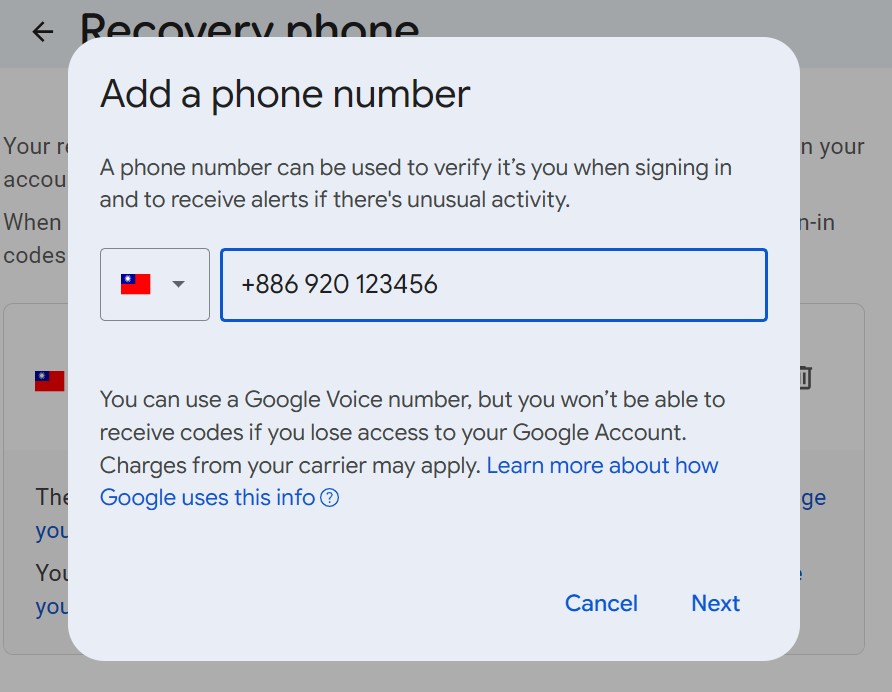
Set up a Google Account recovery phone
一、Access your Google Account settings
- Open browser and sign in to your Google Account.
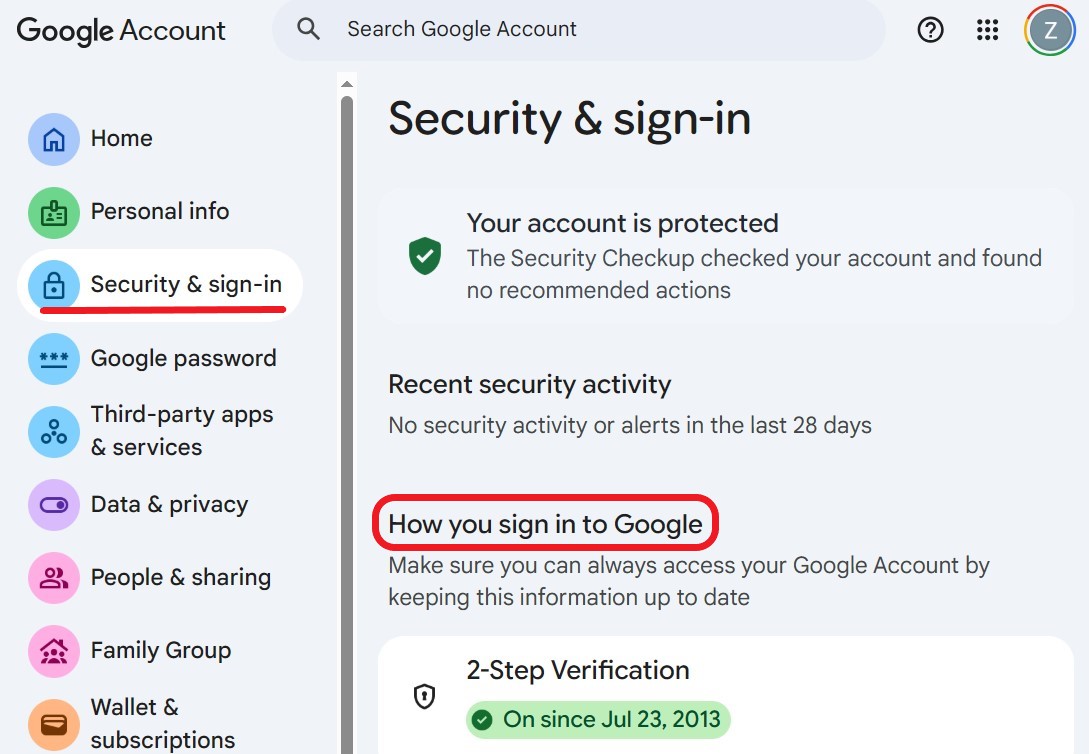
- Go to Google Account management. Select [Security & sign-in] from the left sidebar. Locate the [How you sign in to Google] section on the right pane.
二、Configure a recovery phone number
- Find [Recovery phone] within the [How you sign in to Google] section.
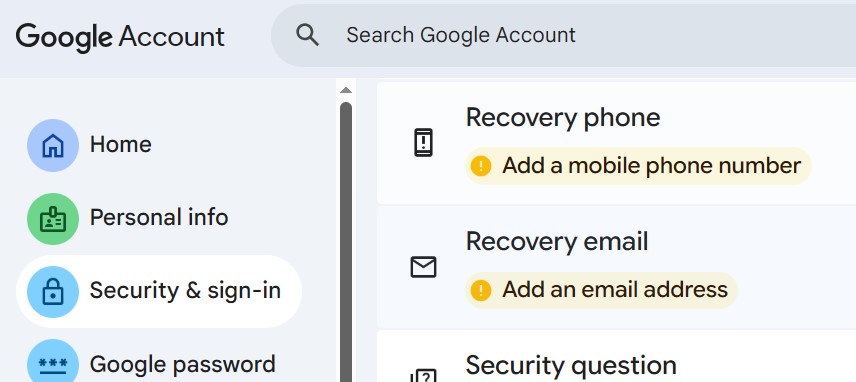
- Click [Add a mobile phone number], then [Add recovery phone] and enter your phone number.
- Enter the received verification code to complete the configuration